 Bartr
Bartr1. Start it from Home
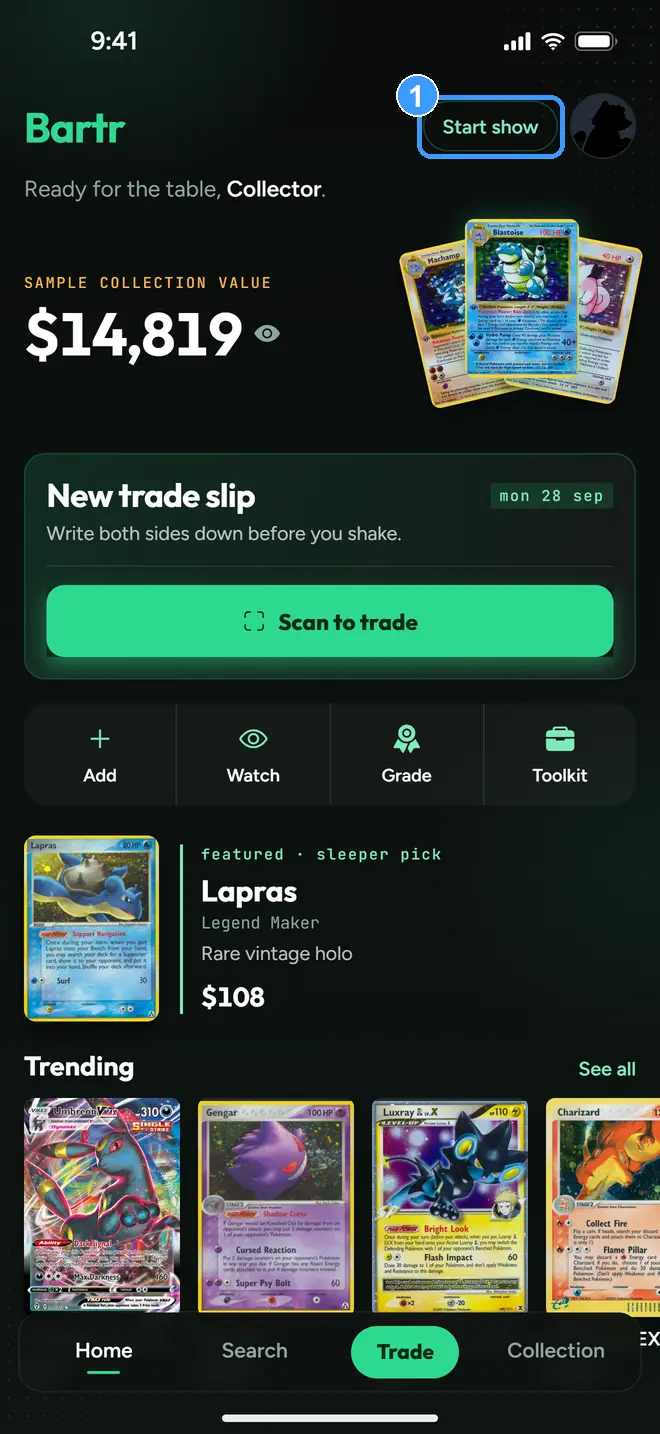
Tap Start show (1), the chip at the top of Home beside your profile picture.
2. What turns on
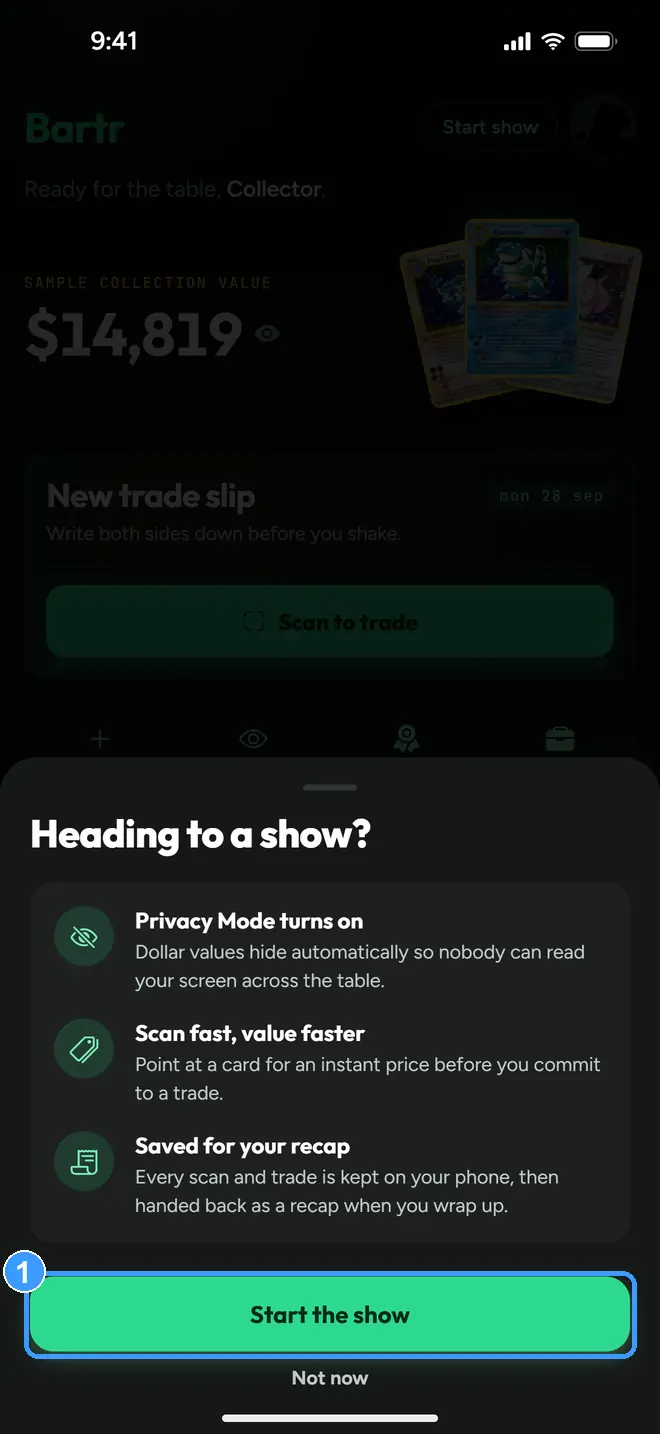
The app explains itself before it starts: Privacy Mode turns on so nobody can read your screen across the table, scans price in seconds before you commit to a trade, and every scan and trade is kept on your phone for a recap at the end. Tap Start the show (1).
3. At the table
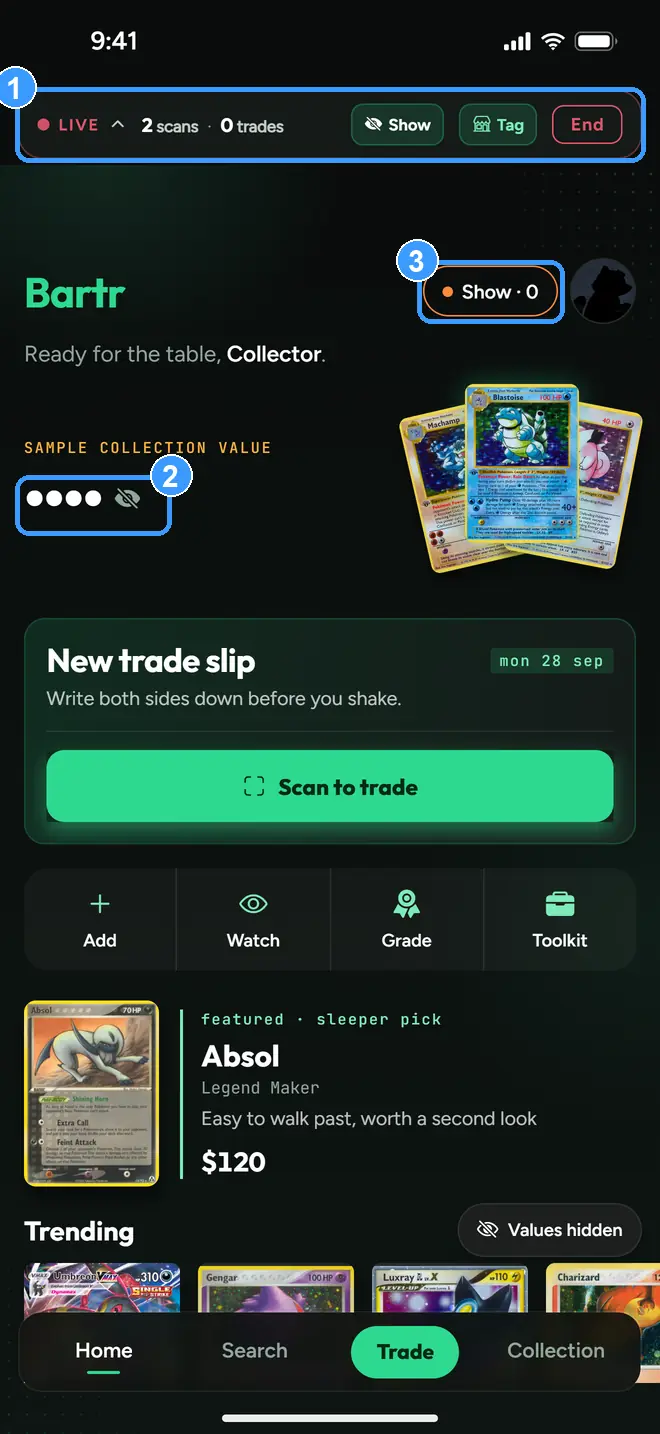
The live bar (1) pins to the top everywhere: your scan and trade count, a Show eye to peek at values, a Tag button to note which vendor table you are at, and End. Every dollar amount is masked to dots (2), including your collection value. The eye is yours: tap Show any time you actually need the number, and it masks again when you are done. The Home chip now reads Show · 0 (3), your trade count at this show, and tapping it also ends the session.
4. End the show
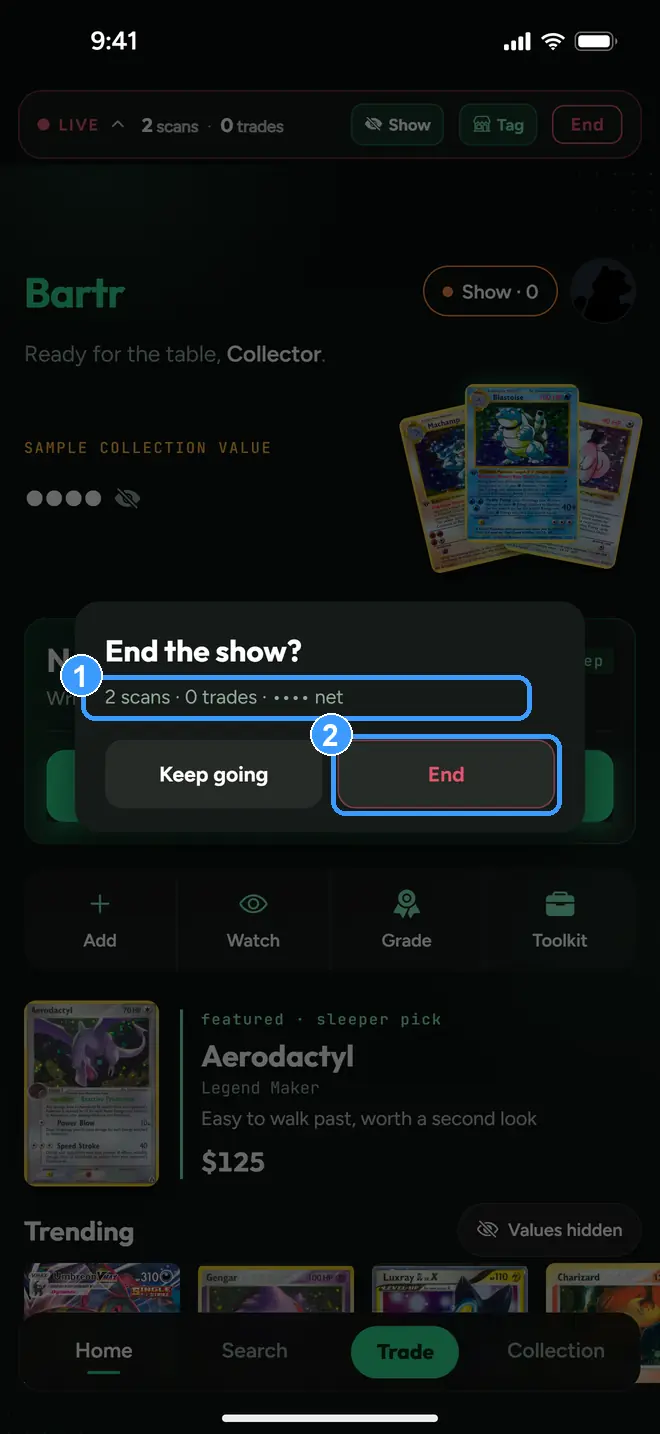
Tap End on the live bar. The dialog reads back your session (1), here 2 scans and 0 trades with the net still masked, and asks once. Keep going returns to the table; End (2) wraps up.
5. Your recap
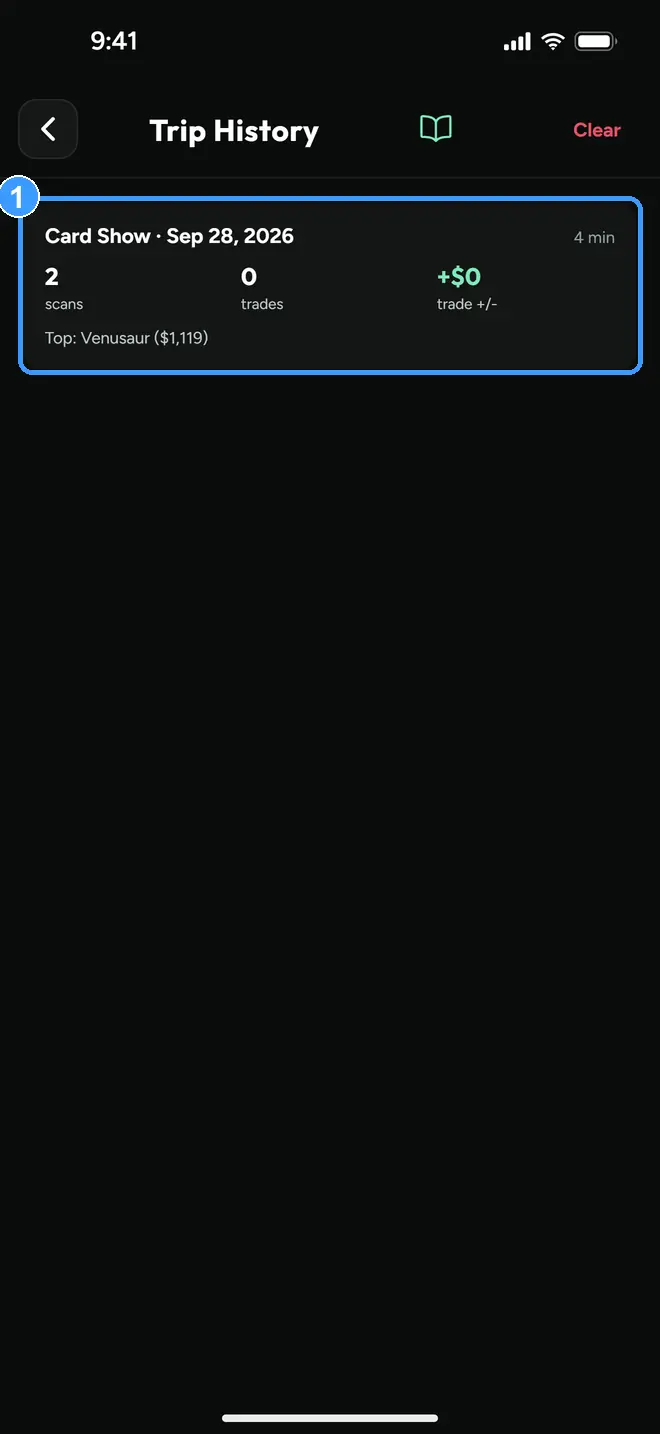
A recap pops up as you end, and every past show stays in Trip History (Profile, under Card Shows): scans, trades, how the trading went for you, your best find, and how long you were there (1). Press and hold an entry to delete it.
Every screenshot above comes straight from the app. Get the app to follow along on your own phone, or try the trade calculator in your browser first. Neither needs an account.