 Bartr
Bartr1. The two sides
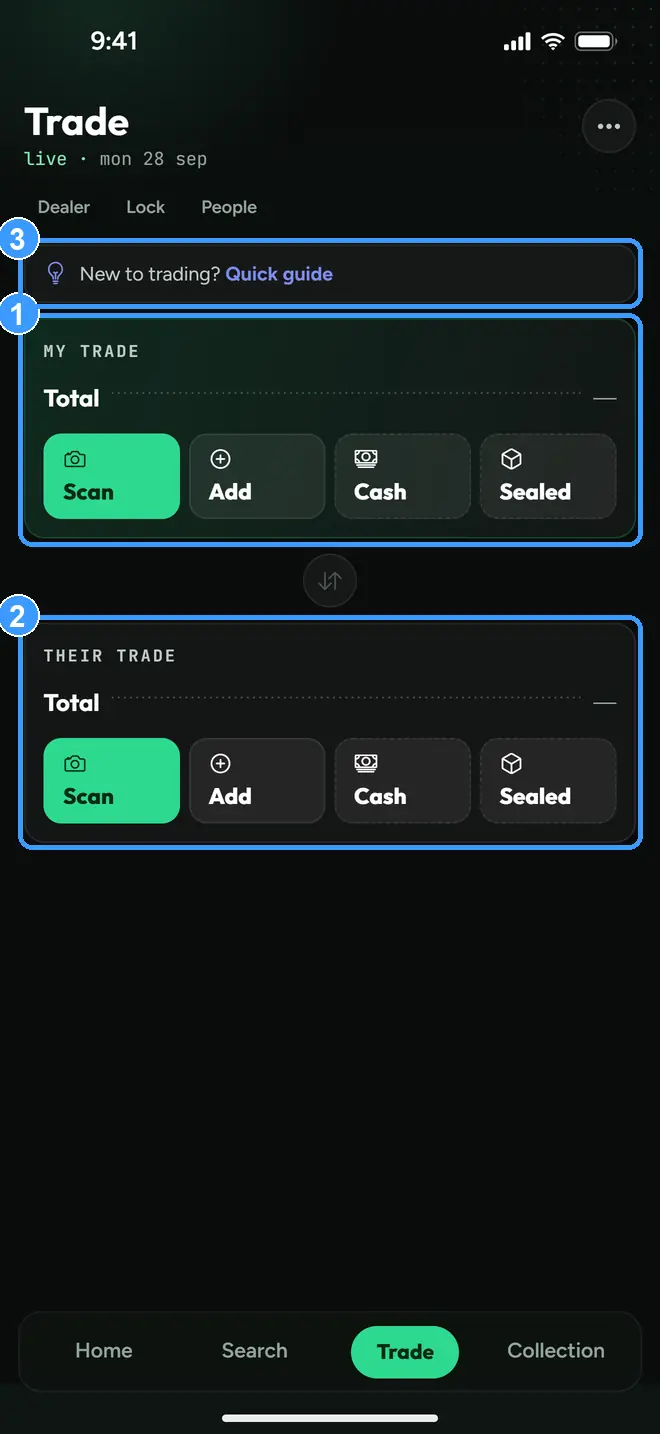
The Trade tab is split into MY TRADE (1), what you are putting up, and THEIR TRADE (2), what you get back. Each side has its own Scan, Add, Cash, and Sealed buttons. New to trading? The Quick guide link (3) opens a short walkthrough right on the screen.
2. The built-in quick guide
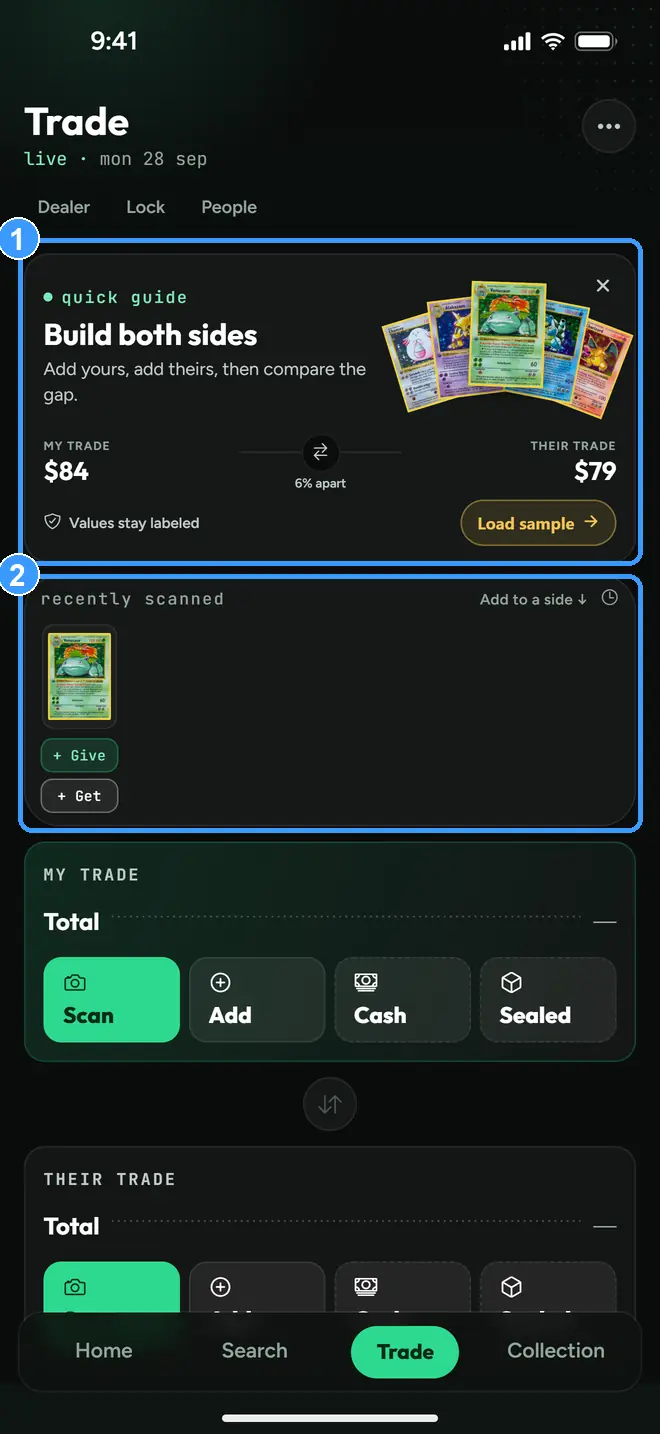
The banner (1) shows a worked example and a Load sample button that fills both sides with practice cards. Anything you scanned recently waits in the Recently Scanned tray (2) with one-tap Give and Get buttons, so a card you just priced drops straight into the deal.
3. Set grade and printing on any row
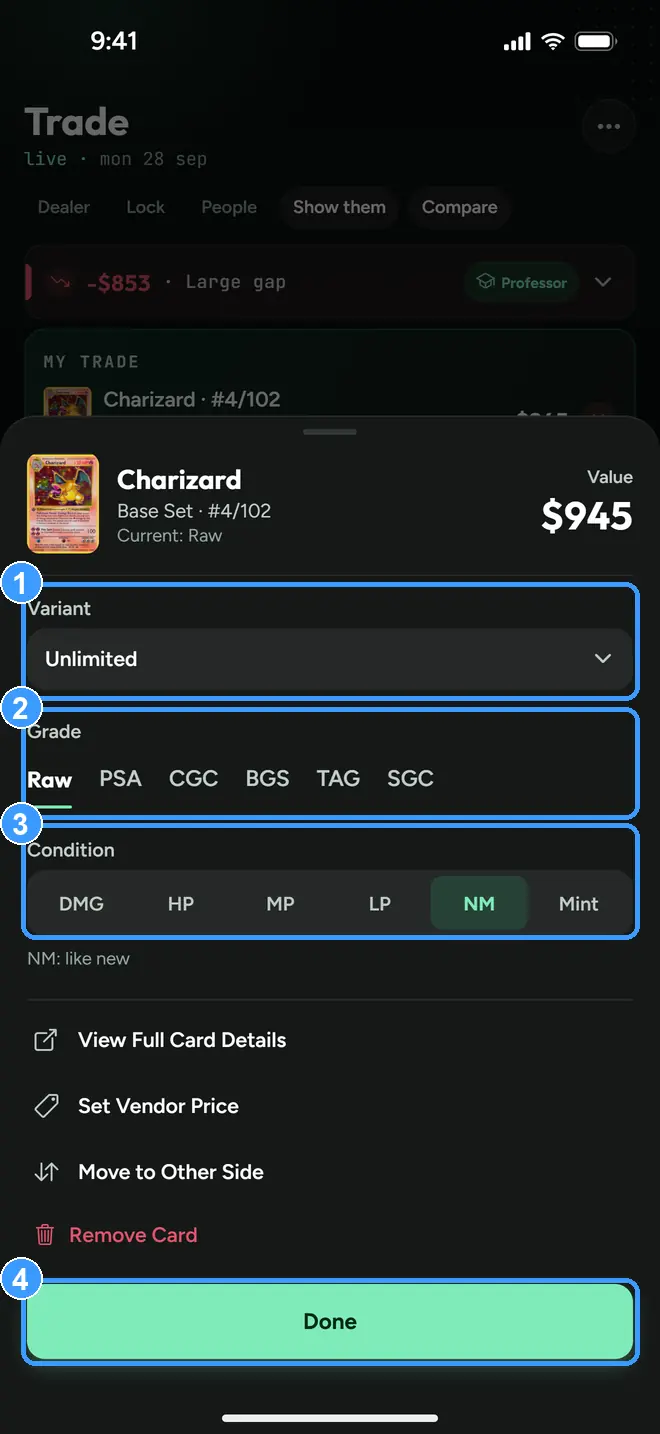
Tap any card row to open its editor. Pick the exact printing (1), the grading company and grade for slabs (2), and the condition for raw cards (3), then tap Done (4). Prices follow the exact copy you set. If a row shows no price, it usually wants you to pick the printing first: Bartr prices the exact card, and until it knows which one that is, it shows nothing rather than guessing.
4. Read the verdict banner
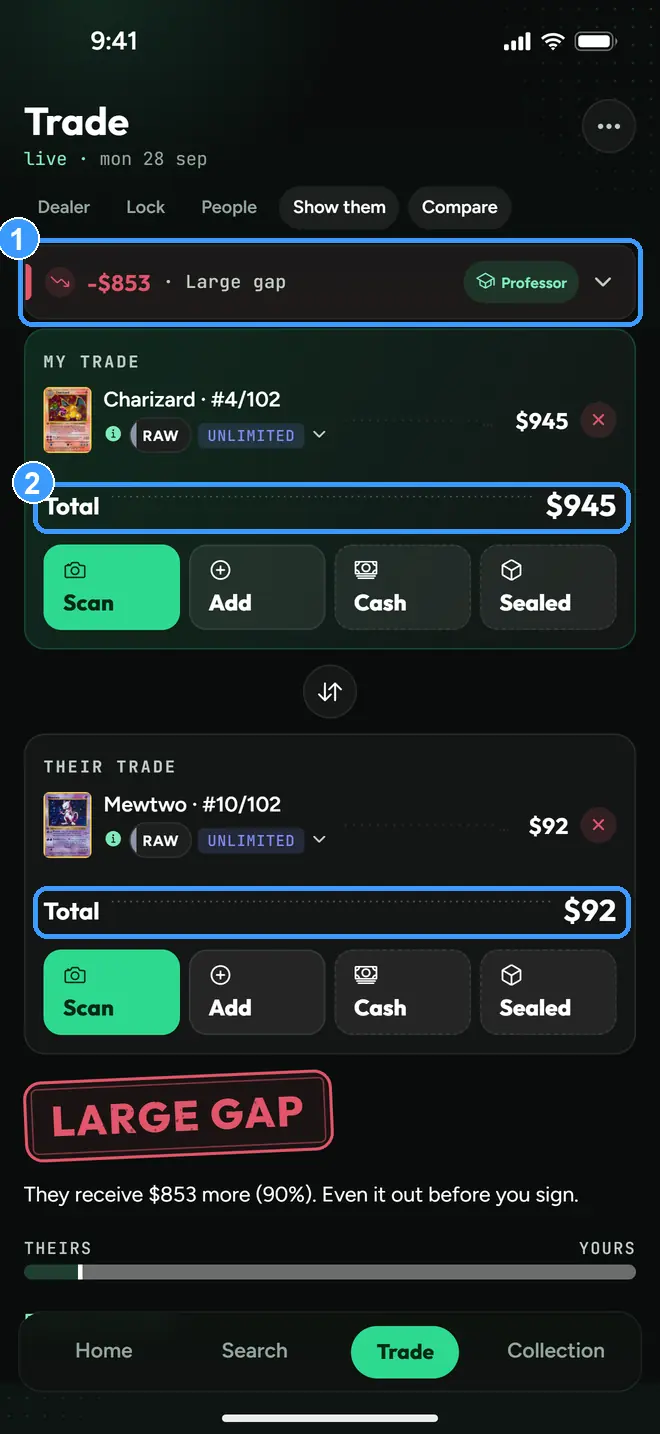
The banner (1) compares the two totals (2) and stays pinned while you stack cards. Red means a big gap against you, here $853 apart. Tap the banner to expand the reasoning, or tap Professor for advice on how to balance the deal. When the handshake happens, Deal Complete, below the verdict, saves it.
5. Add cash to balance a deal
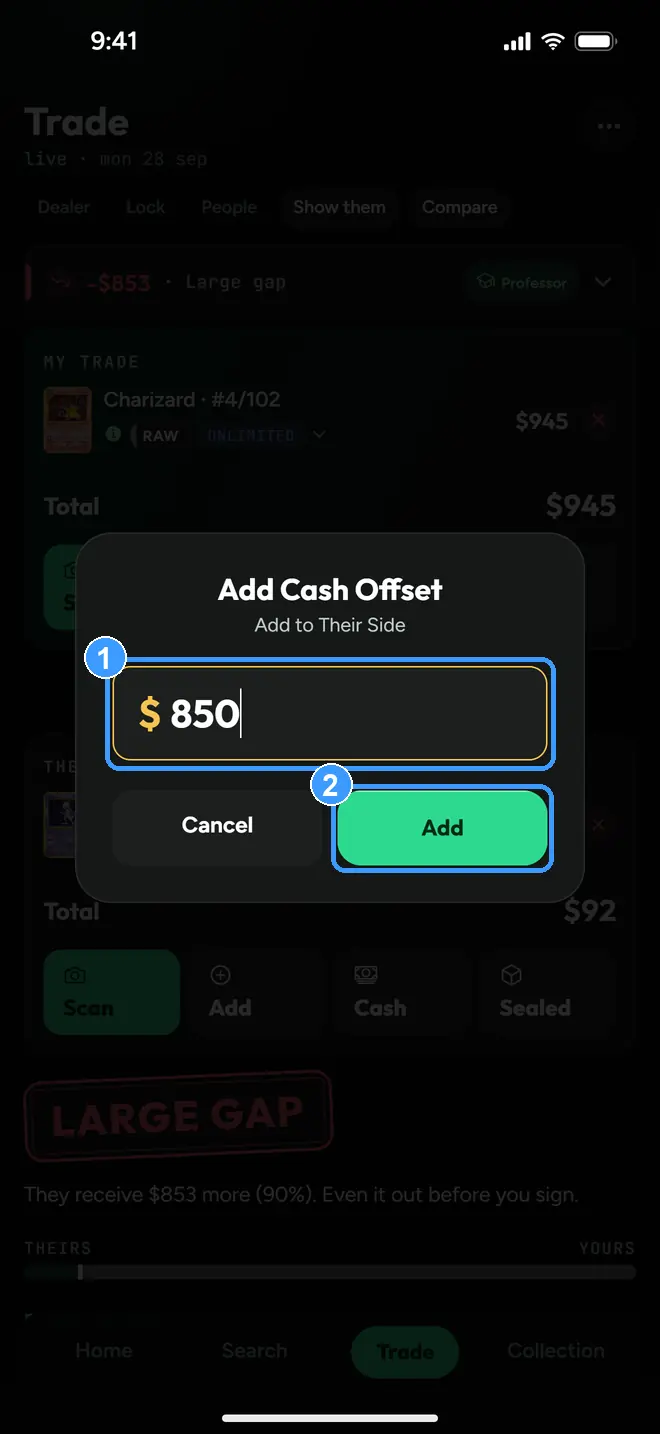
Tap Cash on either side, type the amount (1), and tap Add (2).
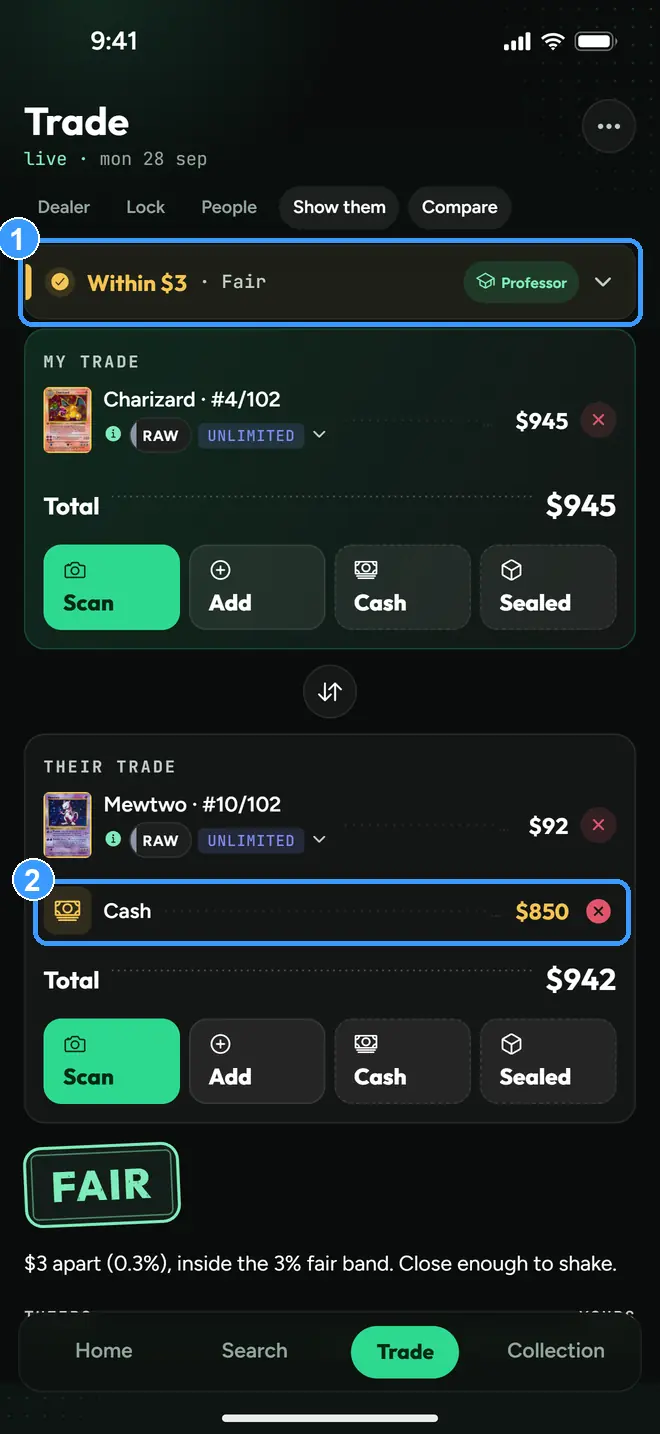
Cash shows up as its own row (2), and the verdict updates instantly. The same deal that was $853 apart reads Within $3, Fair (1) after $850 in cash lands on the light side.
6. Record the deal
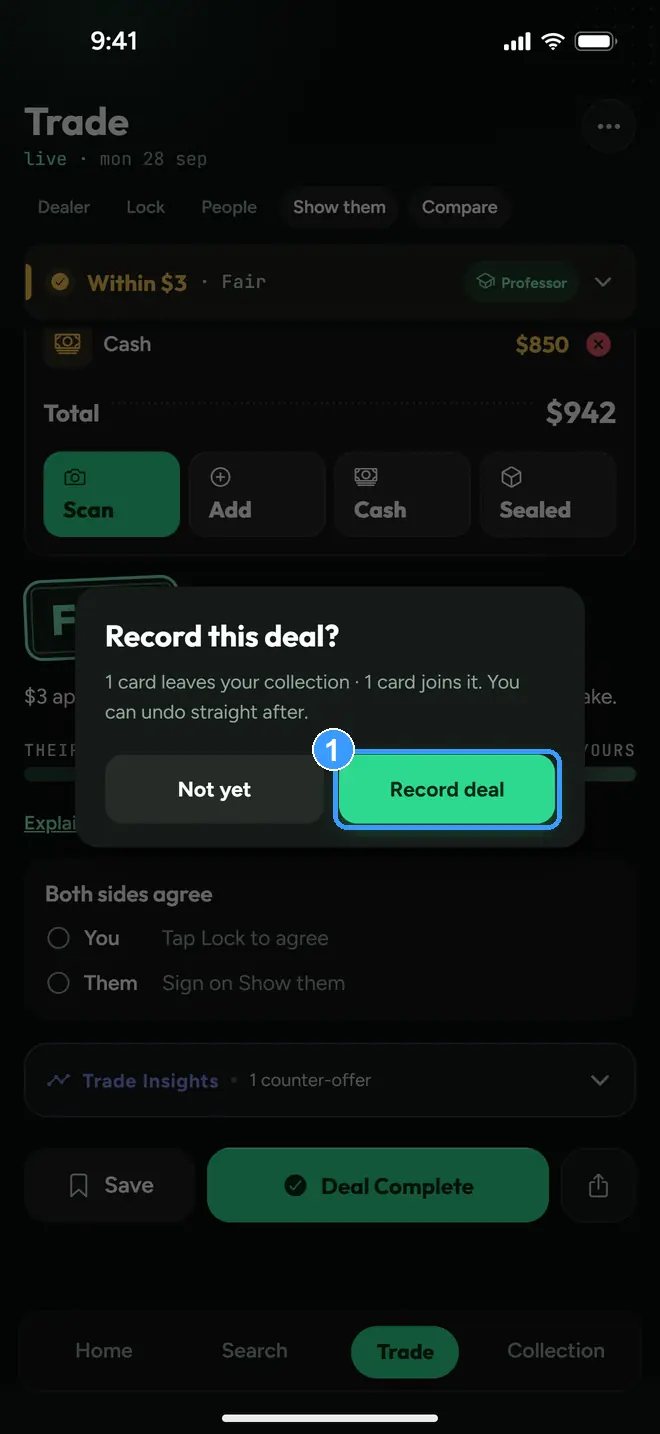
Deal Complete asks before it touches your collection: cards you traded away leave, cards you received join, and you can undo right after. Tap Record deal (1). Every saved trade lives in Trade History, in the Collection header menu.
Every screenshot above comes straight from the app. Get the app to follow along on your own phone, or try the trade calculator in your browser first. Neither needs an account.