
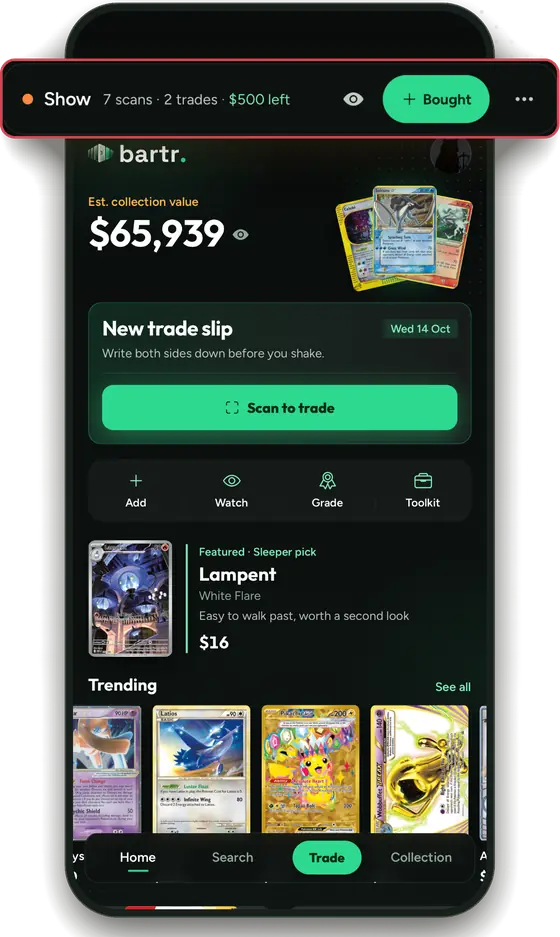
Shows is the part of Bartr for card show day. It lists upcoming card shows via The Card Shop Finder. Tap Going on a show and everyone going can see the cards you are selling, trading or buying, and you can see theirs before you walk in.
How it works
- Find a show. Upcoming shows are listed via The Card Shop Finder, with dates, hours, the venue and the entry price when it is listed.
- Tap Going. Bartr gives you a generated name for that show, like @swiftumbreon42.
- Set up My spot. Pick Collector or Vendor. Vendors add a table number and the days and hours they will be there. Your Trade Box goes up as Trading and your Watchlist as Buying, and you can edit both.
- See matches. Has what you're hunting lists people going who have cards on your Watchlist. Hunting yours lists people looking for cards you have.
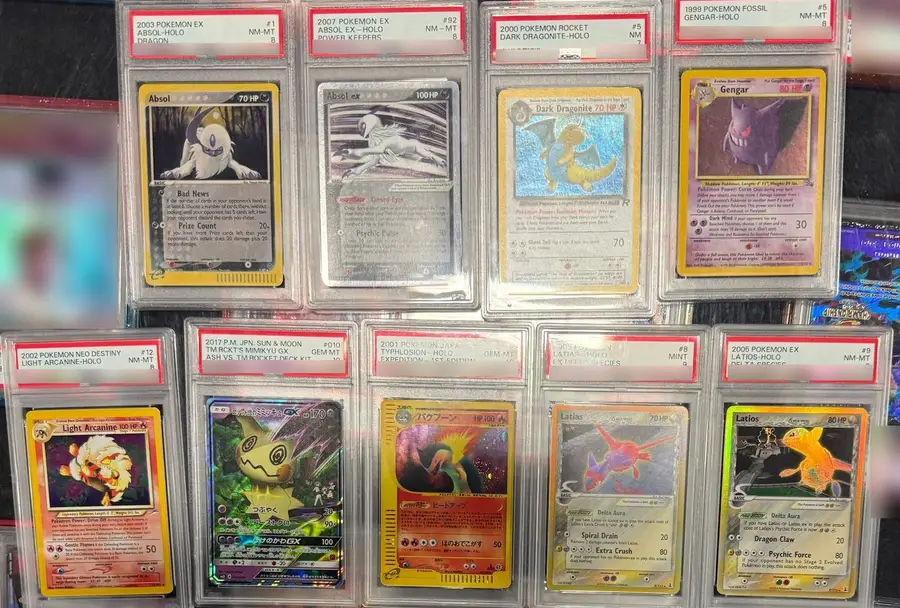
- On the day, tap I’m here. At this show lists every card people brought, by Selling, Trading and Buying, with their price or Ask.
- After the show, the recap shows your deals, the cards you got and what you spent against your budget.
For collectors
- See which people going have cards on your Watchlist before the doors open.
- Set a budget and notes for the show, and a reminder the night before and the morning of.
- Invite a friend: Bartr sends “I’m going to” the show with a link to the app.
- At the table, scan both sides and check the gap with the trade calculator.
For vendors
- Pick Vendor on My spot and add your table number, days and hours, so people can find you.
- Mark each card Selling, Trading or Buying. Add your own price, or leave it as Ask.
- Use your For sale list from the Vendor Desk as your Selling list. It stays in step each time you publish.
- On show day, people going see what you brought under At this show.
For organizers
Bartr does not add shows itself. A show gets into Bartr by being listed on The Card Shop Finder, and the listings are refreshed every day. Once your show is listed, people can tap Going, invite friends and see what others are bringing. Small shows work the same as big ones.
Privacy
Going uses a generated @name, never asks for your name, email, phone number or location, and everything comes down the day after the show, or as soon as you tap Not going. The privacy policy has the details.
Coming soon
- Making an offer on a card at a show
- Sign in with Apple
- A map on the show page
Quick answers
What is Shows in Bartr?
Shows is the part of Bartr for card show day. It lists upcoming card shows via The Card Shop Finder. Tap Going on a show and everyone going can see the cards you are selling, trading or buying, and you can see theirs before you walk in.
Where do the show listings come from?
From The Card Shop Finder. Bartr shows each listing’s facts as they are sent and links to the show’s page on their site. Bartr does not add shows itself: a show gets into Bartr by being listed on The Card Shop Finder.
Do I need an account to tap Going?
No. Going gives you a generated name for that show and never asks for your name, email, phone number or location.
Can I make an offer on a card at a show?
Not yet. Making an offer on a card at a show is coming soon. For now, find the person by their table number or @name and trade in person, with Trade Link to show both of you the same numbers.
Is Shows free?
Yes. Bartr is free, with no ads.
Guides for show day
- Card show checklist: what to bring
- How to find the cards you want at a card show
- Your first card show: a simple guide
- How to price your table as a card show vendor
- How to make fair trades at card shows
- How to run a small card show or trade night
- How to use Bartr
- First card show checklist
- Card show trading tips
- How to use Show Mode
- How to use Vendor Mode
- Free show kit for vendors
Shows is in the Bartr app, free on iPhone with no ads.
Get Bartr for iPhone, or try the trade calculator in your browser first.